

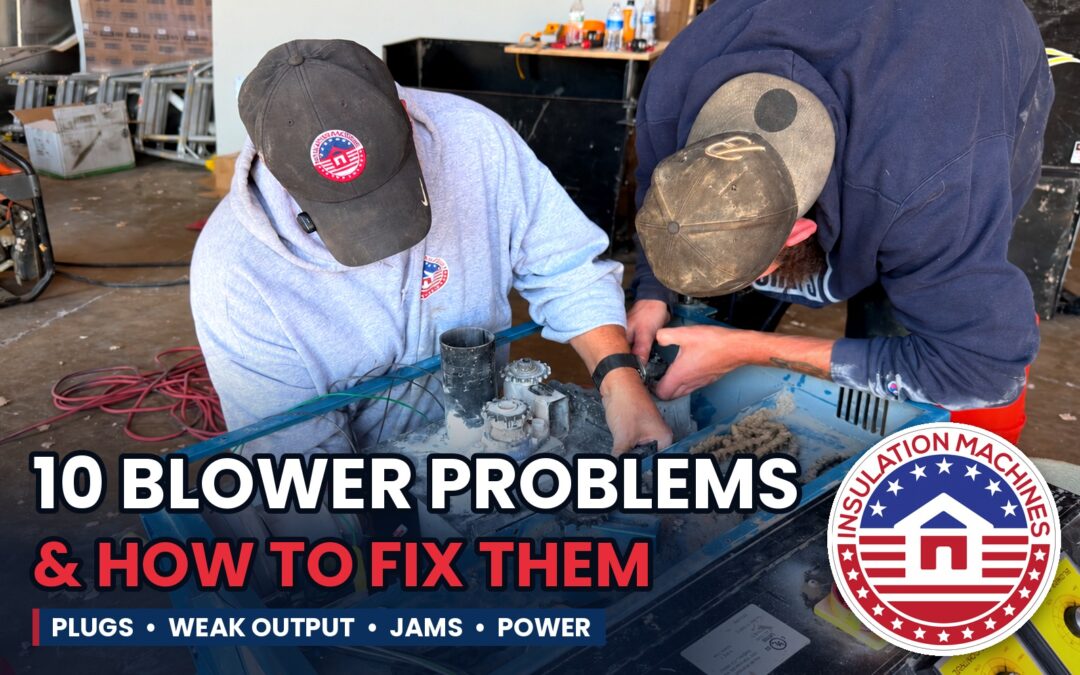
Safety first: before you reach into the hopper, the airlock, or the agitator area, shut the machine off and unplug it or disconnect the power. Agitators and airlocks can start without warning if a remote is bumped or a breaker resets, and they will not stop for a hand.
Quick reference: symptom, likely cause, first fix
| Problem | Most likely cause | First thing to try |
|---|---|---|
| 1. Hose keeps plugging | Too much material for the air | Close the gate down, straighten the hose |
| 2. Weak output or short throw | Blower speed may be too low; too much hose has been added | Turn up the blower speed, remove extra hose |
| 3. Material blowing back out of the hopper | Airlock seals leaking air upward | Replace or adjust airlock seals |
| 4. Surging or pulsing flow | Bag wrapper or debris on the augers, uneven loading | Check machine for wrapper or debris wrapped around augers |
| 5. Clumps coming out of the hose | Material not conditioned | Break up bags, check agitators and shredder |
| 6. Using too many or too few bags | Air-to-material ratio is off | Run a coverage check against the bag chart |
| 7. Machine won’t start or trips the breaker | Power supply, cords, or overload | Check circuits, cords, and generator size |
| 8. Wireless remote not responding | Battery, wrong antenna placement, transmitter may need to be paired again | Replace the battery, reposition the antenna, re-pair the transmitter |
| 9. Agitator or airlock stops or jams | Foreign object, material clumped in the airlock, belt, or chain | Power off, clear the jam, check drive parts |
| 10. Blower motors and/or agitator not working | Plug is loose, GFCI tripped on power source | Reseat every plug, reset the GFCI |
1. The hose keeps plugging
This is the most common blower complaint, and it happens most with cellulose. A plug almost always means more material is going into the airstream than the air can carry.
Fix it: close the gate down a notch so less material drops into the airlock. Then look at the hose. Straighten kinks, take out sagging loops where material can settle, and shorten the run if you can. Damp cellulose that has soaked up humidity in a hot trailer clumps and plugs easily, so keep bags dry. If plugs keep happening with good material and a clean hose, check the airlock seals (see problem 2), because leaking seals rob the hose of the air it needs.
For gate settings by material, see our guide to blowing cellulose vs. fiberglass.
2. Weak output or short throw
The machine runs, but material dribbles out of the hose or won’t reach the far end of the attic. Start with the two most common causes: blower speed set too low, or too much hose added to the run. Every extra length of hose adds friction and costs you air at the end.
Fix it: turn the blower speed up and remove any hose you don’t need. If output is still weak, check the airlock seals and hose connections for air leaks. The seals on the airlock vanes keep air from escaping, and as they wear, air leaks out before it reaches the hose. With the power off, inspect the seals for tears, gaps, or worn edges, and check every hose connection and the reducer, since a loose clamp acts the same way. A partial plug in the hose or a clogged blower filter can also cut output suddenly.
3. Material blowing back out of the hopper
If insulation and dust are puffing up out of the hopper, air is escaping upward through the airlock instead of going down the hose. That’s the same worn-seal problem as weak output, just showing up in a different place. A plugged hose can cause it too, because the air has nowhere else to go.
Fix it: clear the hose first. If the blowback continues with a clear hose, the airlock seals need attention. Blowback is more than a mess. It means lower output, more dust in the work area, and more airborne fiber for the operator at the hopper.
4. Surging or pulsing flow
Material comes out in bursts instead of a steady stream. Surging usually starts at the hopper. Bag wrapper or other debris wrapped around the augers keeps them from feeding material evenly. Uneven loading causes it too: when the operator dumps several bags at once and then lets the hopper run low, the airlock gets fed unevenly and the hose sees slugs of material.
Fix it: shut the machine off and disconnect the power, then check the augers for bag wrapper or debris wrapped around them and cut it free. Load the hopper at a steady pace and keep it from running empty. If the flow still surges, check the hose for a partial plug that builds up and breaks loose, and check for worn seals. With fiberglass, uneven conditioning can also cause pulsing (see problem 5).
5. Clumps coming out of the hose
Clumps settle unevenly and leave thin spots in the attic. With fiberglass, clumps mean the compressed material isn’t being opened up before it reaches the airlock. With cellulose, it’s usually bags that took on moisture.
Fix it: break bags apart by hand as you load. Check that the agitators and shredder are turning and aren’t wrapped with strings, bag pieces, or packed material. For fiberglass, a narrower feed setting gives each tuft more air. If you blow a lot of cellulose, a hyper speed shredder breaks material up better and lets you run the airlock wide open.
6. Using too many or too few bags
This one doesn’t look like a machine problem, but it is. If the attic reaches the right depth with fewer bags than the chart calls for, the material is going in too light and the R-value falls short. If you’re using far more bags than the chart, it’s going in too dense, and you’re giving away material on every job.
Fix it: run a coverage check at the start of the job. Blow a 10 by 10 foot area to the target depth and compare the bags you used with the coverage chart on the bag. Adjust the air or gate and retest. It’s far better to find the problem on 100 square feet than at the end of a 3,000-square-foot attic.
7. The machine won’t start or keeps tripping the breaker
Most electric blowing machines draw a lot of current, and many need more than one dedicated circuit. A machine that trips breakers is often on the wrong power, not broken.
Fix it: check the circuit requirements in your machine’s manual and make sure each cord is on its own circuit that meets them. Don’t share a circuit with other tools or appliances. Long or light-gauge extension cords cause voltage drop that makes motors work harder and trip breakers, so use the cord size and length the manufacturer specifies. On a generator, confirm it’s large enough for the full load, including the startup surge. Also check the machine’s own breakers, fuses, and switches, and the emergency stop if it has one.
8. The wireless remote isn’t responding
When the operator in the attic can’t start or stop the machine, the job stops. Wireless remote problems usually come down to three things: a weak or dead battery, the receiver antenna in the wrong spot, or a transmitter that has lost its pairing with the machine.
Fix it: start with a fresh battery in the transmitter. Next, check the antenna placement. If the antenna is horizontal, the signal is not captured well. Antennas are designed to capture the signal on the sides. Place your antenna so that it is vertical and points to the sky. If the remote still won’t respond, re-pair the transmitter to the receiver following the manufacturer’s steps. Carry a spare battery on the truck.
9. The agitator or airlock stops or jams
A loud clunk, a stall, or an agitator that stops turning usually means something got into the machine that shouldn’t have, like a piece of bag, a tag, or packing strap. Material can also clump and pack into the airlock, especially damp cellulose or a hopper that’s been overloaded.
Fix it: shut the machine off and disconnect the power before you reach in. Clear the jam, including any material packed into the airlock, then check the drive parts: belts for wear and tension, chains for slack and lubrication, and any shear pins or overload protection that may have done their job. Keep bag scraps and strapping away from the hopper while loading.
10. Blower motors and/or agitator not working
The machine is plugged in, but the blower motors, the agitator, or both won’t run. Before assuming a motor has failed, check the power. The two most common causes are a plug that has worked loose and a GFCI that has tripped at the power source.
Fix it: with the switches off, check that every plug is pushed in firmly, both at the machine and at the outlet or generator. Cords get tugged loose as hoses and crews move around the job. Then find the GFCI on the power source, whether it’s on the outlet, the breaker panel, the generator, or the extension cord, and reset it. If the GFCI keeps tripping, look for moisture in a connection or a damaged cord, and fix the cause rather than bypassing the GFCI. It’s there to protect your crew from shock.
Prevent most of these problems with a five-minute routine
- Before each job: make sure the augers are free of debris and material wrappings, and check the filters, hose connections, and wireless remote battery.
- During the job: load the hopper steadily, keep scraps out, and keep the hose run short and straight.
- After the job: run the hopper empty, blow out the hose, and clear packed material from the airlock and agitators.
- On a schedule: inspect belts and chains, and keep spare seals, a spare remote battery, and hose clamps on the truck.
If your machine still isn’t performing after these checks, or you need replacement seals, parts, or a machine that keeps up with your crew, call Barry at (810) 614-0072 or email barry@insulationmachines.net.
Frequently asked questions about insulation blower problems
Why does my insulation blowing machine hose keep clogging?
Usually because too much material is going into the airstream for the amount of air. Close the gate down, straighten kinks and sagging loops in the hose, shorten the run if you can, and keep bags dry. If plugs continue, check the airlock seals for air leaks.
How do I know if my airlock seals are worn?
The most common signs are output that drops over time, shorter throw at the end of the hose, and material or dust blowing back up out of the hopper. With the power off, inspect the seals for tears, gaps, or worn edges that no longer make good contact.
Why does my blowing machine keep tripping the breaker?
Most often it’s the power supply, not the machine. Check that each cord is on its own dedicated circuit that meets the manual’s requirements, avoid long or light-gauge extension cords, and make sure a generator is sized for the full load including startup surge.
Why is insulation blowing back out of the hopper?
Air is escaping upward through the airlock instead of going down the hose. Clear the hose first, since a plug can force air back up. If blowback continues with a clear hose, the airlock seals need to be adjusted or replaced.
Why won’t my insulation blower’s motors or agitator turn on?
Check the power first. The most common causes are a plug that has worked loose and a GFCI that has tripped at the power source. Reseat every plug at the machine and the outlet or generator, then reset the GFCI. If the GFCI keeps tripping, look for moisture or a damaged cord.
What should I check on my blowing machine before every job?
Check the airlock seals, blower filters, hose and hose connections, and the wireless remote battery. After the job, run the hopper empty, blow out the hose, and clear packed material from the airlock and agitators.


