

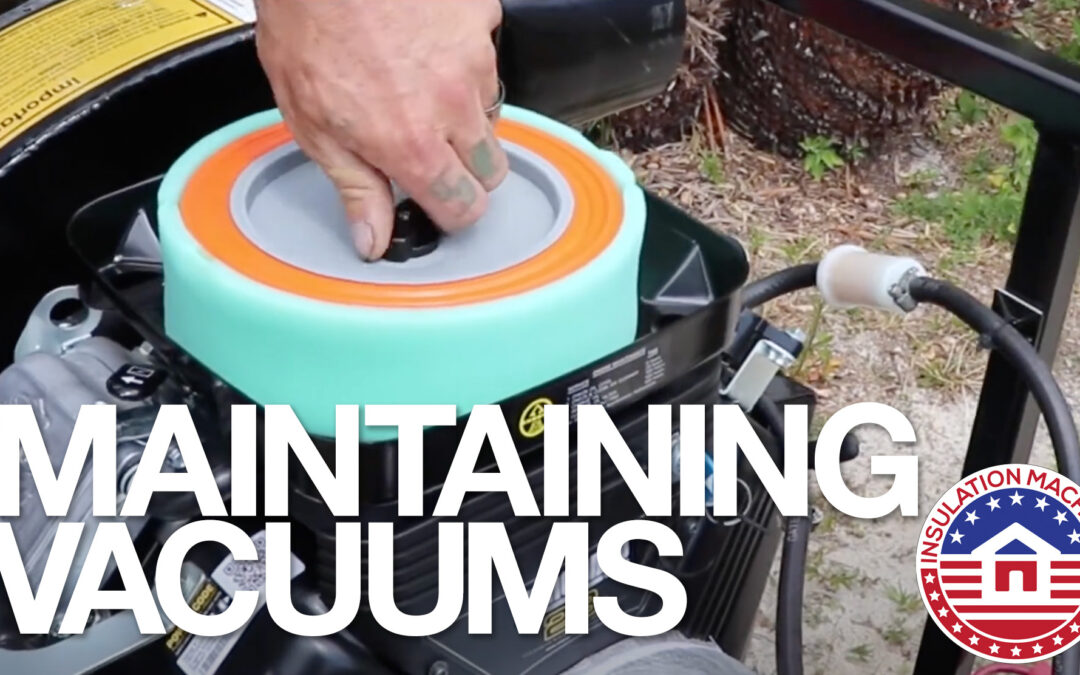
Summary: Maintaining an insulation removal vacuum machine is vital for its longevity and performance, as highlighted by InsulationMachines.net. These machines face tough conditions, including abrasive debris and significant dust accumulation, which acts as a “silent killer” by clogging components and causing overheating. Regular maintenance, including cleaning dust from the engine and replacing worn parts like airlock seals, is crucial to ensure efficient operation and prevent premature wear or failure. Proper care extends the machine’s lifespan and maintains productivity. This article covers the use, troubleshooting and maintenance of the gas, diesel and electric insulation vacuums.
Insulation Removal Vacuums go through abuse. The obvious problems are caused by the foreign objects that are sucked through the hose (nails, pieces of junk, even brick pieces) from the attic.
The SILENT killer of a vacuum is failure to maintain the vacuum. Dust gathers around the engine, unlike most applications. While extracting the insulating materials, they create enormous clouds of dust. Here are some tips and videos on maintaining and tuning up your insulation removal vacuum machine.
Cool Machines provides manuals with maintenance schedules and troubleshooting. This article is NOT designed to replace the specific manual that comes with your equipment. This article provides basic information and direct links to YouTube videos we created in the field. At the end of this article are products you should have on hand for maintenance.
Daily Maintenance:
- ALWAYS use fresh fuel. If you are refueling with fuel stored in containers, make sure that those containers are not more than a couple of weeks old. Moisture can collect in that fuel.
-
Check oil levels: If your machine has a gas or diesel engine, check the oil level daily and top it up as necessary. Make sure that you do not overfill the engine. That can cause too much pressure and bog down your machine, causing it to shut down. These vacuums have low oil sensors which will shut down your vacuum if it loses oil during operation and will not let you restart the vacuum
-
Remove debris: Insulation fibers, dust, and other debris can accumulate around critical areas like the muffler, cooling fins, and springs. Clean these areas daily (e.g., with an air compressor, blow gun or wand) to prevent overheating and mechanical issues. Debris buildup on cooling fins, in particular, can void engine warranties.
-
Clean the engine: Keep the engine free of insulation buildup to prevent overheating.
-
Empty and clean the vacuum saver: This may need to be done a time or two during a particularly junk-filled job. If you allow the vacuum saver to get too full, it’s ability to stop junk from entering the vacuum is severely diminished.
- Prevent Overheating: When using your vacuum, make sure that it has plenty of airflow around it. Using your vacuum inside an unventilated truck or trailer is extremely dangerous due to the accumulation of fumes and dirt.
Scheduled Maintenance:
-
Engine maintenance: Most engine manufacturers recommend that you change oil every 100 hours. Because your vacuum ins in an excessively dirty environment, we recommend that you change your oil every 50 hours.
-
Grease bearings on the larger vacuums: The belt-driven CoolVac40 has pillow block bearings that need to be greased every 10 hours of use. Lubricate these with high speed grease. Since these have been greased from the factory with Mobile Blue, you should use that product.
-
Inspect for wear: Regularly check the housing for penetrations that may be starting. Typically, the housings are designed to last 300 hours (500 hours if you have a double banded housing). Fan blades have a typical life-span of 300 hours.
-
Manufacturer guidelines: Cool Machine’s manuals all have maintenance guidelines and schedules.
Diagnosing Engine Problems
Engine Won’t Start
- Kill Switches: Are the kill switches FULLY depressed? Cool Machine’s vacuums have a kill switch on the input and output of the vacuum. Make sure these are fully depressed.
- Oil Level: The vacuums have a low-oil sensor. They will not start if the oil level is too low.
- Battery: Your battery may be weak. If so, you can use jumper cables and jump the battery from your vehicle. The batteries are 12 volt and so are the batteries in your Non-electric vehicle.
- Bad Coil: The engine may crank but not start, or it may start and then immediately shut down. The engine may stall repeatedly, especially at low speeds.
- DIESEL specific: The fuel lines may have entrapped air. To prevent this: NEVER LET THE FUEL TANK EMPTY. You will need to bleed the air out of the fuel lines.
Engine Stalls
- Bad Fuel: Fuel with water in it will cause your engine to stall. If this is a gas engine, empty fuel tank and refill with new fuel. If this is a diesel engine, drain the fuel tank and drain the water separator.
- Too Much Oil: Overfilling your oil creates too much pressure and the engine will slowly stall out.
- Throttle Cable Loose: The throttle cable is held in with a small clamp. Sometimes, normal vibration may cause the clamp to loosen. If that happens, you can simply readjust the RPM on your throttle cable.
- DIESEL Specific: Was gasoline added to the fuel tank?
- DIESEL Specific: Is the radiator clogged with dust and material? Use an air or combo air/water wand to clean radiator fins.
Black Smoke is Coming Out of the Muffler
- Did your vacuum tip on its side or fall over? If this happens, oil gets into the air filter and muffler. Remove the air filter and clean the filter dish as much as possible. Let the vacuum run for a few minutes to burn off the excess oil that may have entered the muffler.
Vacuum Is Vibrating Excessively
- Out of Balanced Blade: If a foreign object enters the vacuum, it could damage your blade and cause it to go out of balance. DO NOT continue using the vacuum until you replace the impeller (fan blade).
Oil is Leaking
- Often the source of an oil leak is obvious. If not, then let the vacuum cool down. Clean it with a degreaser. Then use brake cleaner to get the rest of the stubborn grease/oil removed.
- Oil Filter: Problems related to the oil filter include: Off-brand, Incorrectly-sized, Loose, and even the odd occasion a double-sealed filter has caused these leaks.
- Oil Sensor: Over time, normal vibrations may loosen components like the Oil Sensor. Use either a Crescent wrench or appropriately-sized open ended wrench to tighten snugly. Do not over-tightened. After tightening, check to see if the leak continues by starting the vacuum for about 30 seconds. When that is successful, run the vacuum for 5 minutes to make sure leaks are sealed.
- Valve Cover: Normal vibrations can also loosen the bolts on the valve covers. Using a wrench, make sure these bolts are snug. Do not over tighten.
- Cannot Find Source: If you are unable to find the source of the leak, it may be due to a damaged internal seal. Take your vacuum to an authorized mechanic to have this repaired.
YouTube Playlist
This playlist has dozens of videos related to the use, troubleshooting and maintenance. We constantly update this playlist. To see more videos in this playlist, click on “load more.” You can also visit our playlist on YouTube, here: https://youtube.com/playlist?list=PLyHIJ7EDwgr3xQAskzJtJqRcP8cnNP3li&si=Cv0bU-uPdGblWiZl

The Importance of Changing Oil on a CoolVac
Fix Your Cool Machine Insulation Vacuum or Insulation Blower in the Field Using Minimal Tools
temporary video: location of air filter oil filter oil drain
Beware of Static Electricity on Your Insulation Removal Vacuum
Products and Tools to Maintain Your Insulation Vacuum
By clicking on the items below, you can view the product. If you need these items, there will be an Amazon link in the product. (Full disclosure: We do profit from Amazon’s Affiliate program). This does not increase the cost you pay for any of these items.


Recoil Filters on CoolVac Insulation Vacuums by Cool Machines
Insulation Machines November 24, 2021 9:57 pm