

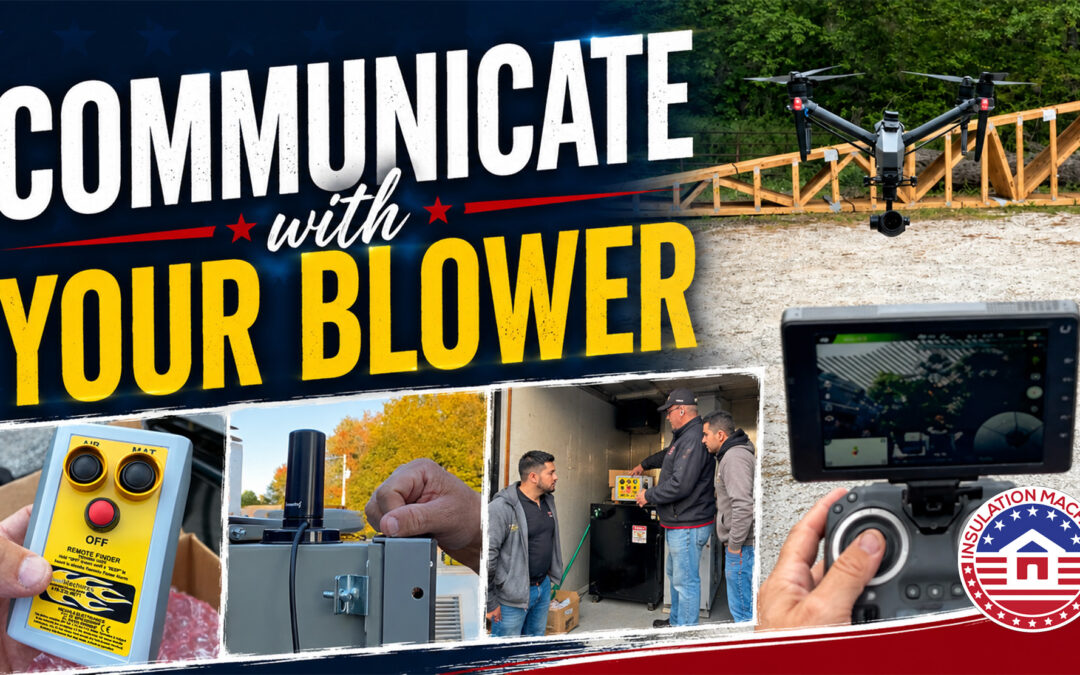
For professional insulation contractors handling dense pack insulation or wall spray cellulose and fiberglass applications, precise machine control is the difference between a high-margin workday and costly jobsite downtime.
When installers are stationed deep inside a structure, any unnecessary communication to adjust material flow can be clumsy or even stall production if communication devices are not consisten. While all Cool Machines insulation blowers come standard with a reliable wired remote, upgrading to a wireless remote system provides the mobility required to scale your daily output.
At Insulation Machines, we highly recommend the wireless remote upgrade for crews frequently working inside multi-story residential walls, around tight corners, or within large-scale commercial projects.
1. Engineered for Demanding Jobsite Conditions
A premium wireless remote system for insulation equipment is built to survive active, dusty jobsites while dramatically streamlining crew communication.
-
Extended Range Capability: Under optimal conditions, these systems offer an operating range of up to one-quarter mile. This completely eliminates the need for installers to yell instructions or text a secondary crew member at the truck.
-
Hands-Free Accessibility: The remote comes equipped with a rugged neck or waist strap. Keeping the controls physically attached to the installer ensures rapid adjustments can be made without dropping tools or breaking the installation rhythm.
For dense pack installers moving methodically from room to room, this seamless control significantly lowers labor hours per square foot.
2. Crucial Tech Tip: Proper Antenna Positioning
One of the most common tech-support calls we receive regarding insulation machine troubleshooting involves weak remote signals. Many contractors assume the antenna should point directly at the remote transmitter. This is a mistake.
The Golden Rule of Antenna Orientation: For optimal signal reception, the antenna on your insulation blower must be positioned completely upright (vertical).
Radio signals are broadcast and received primarily off the sides of the antenna, not the tip. Orienting the antenna vertically maximizes the signal’s surface area, ensuring a rock-solid connection through framing, drywall, and structural obstacles. If your remote is cutting out, check the antenna orientation first.
3. How to Synchronize Your Cool Machines Wireless Remote
Over time, or when replacing a lost unit, your wireless remote transmitter and the receiver on the insulation blower may lose pairing. Correct synchronization is required for the digital components to communicate safely.
If you are experiencing pairing drops or need step-by-step instructions on how to sync a Cool Machines wireless remote, contact our support team directly at 877-909-USMADE. We will walk your crew through the frequency programming sequence right over the phone.
4. Proactive Battery Maintenance to Prevent Downtime
Nothing kills project momentum faster than a dead battery in the middle of a dense pack wall cavity fill. To maximize the lifecycle of your wireless remote components, enforce these three fleet rules:
-
Remove Batteries Post-Job: Always take the batteries out of the remote at the end of every workday. This prevents phantom power draw and eliminates the risk of terminal corrosion.
-
Utilize the Cool Machines Toolbox: Stash the remote and fresh spare batteries inside the heavy-duty black toolbox provided with your machine.
-
Carry Backup Power: Always keep a fresh, sealed pack of replacement batteries in the truck cab.
Is the Wireless Upgrade Worth It?
While the standard wired remote system included with every Cool Machines unit is an excellent backup, the wireless remote upgrade is a low-cost investment that yields immediate ROI. By reducing operator fatigue, improving material control, and speeding up dense pack and wall spray execution, it quickly becomes the most valuable accessory on your rig.
Want to upgrade your current setup or need replacement insulation blower parts? The team at Insulation Machines is here to help you optimize your equipment fleet for peak profitability.
Frequently Asked Questions (FAQ)
What is the range of a wireless remote for a Cool Machines insulation blower?
Under optimal conditions, the wireless remote system has an operating range of up to approximately one-quarter mile (1,320 feet), providing plenty of coverage for large residential properties and commercial jobsites.
Why is my insulation blower wireless remote losing signal?
The most common cause of signal loss is incorrect antenna placement. The antenna on the machine must be pointed straight up (vertically), as the signal transmits off the sides of the antenna rather than the tip. Low battery voltage and dense concrete blocking can also degrade performance.
Can I run a wireless remote and a wired remote at the same time?
Cool Machines units are designed to switch between systems easily, but you should only operate one control signal at a time to prevent conflicting commands to the airlock and blower motors.
How do I prevent my wireless remote from beeping unnecessarily?
Hold down the “OFF” button for 6 seconds. The remote is always searching for a connection and sometimes, the remote will beep.
What Powers the Wireless Remote?
The Cool Machine blowers have an auxiliary plug in for the receiver. The transmitter is powered by two AA batteries.


